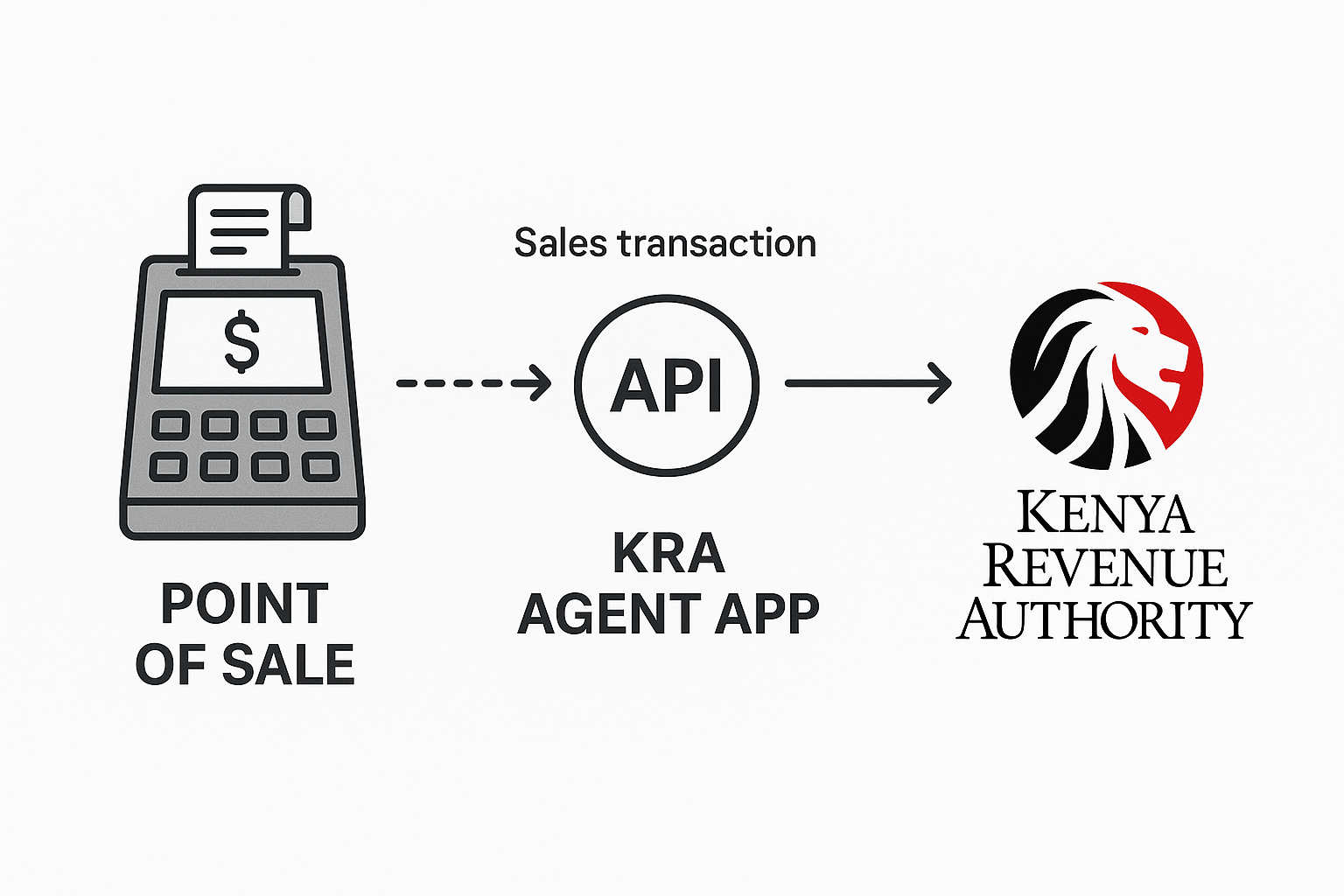
All of our API endpoints share a common base URL. You'll just need to append the specific path for the action you want to take:
https://kra-agent-sbx.symatechlabs.com/app/api/v1/...
v1 is the version. It will not change under you: if a future version makes
breaking changes, it becomes v2, and v1 keeps working.
In the examples, {{base_url}} stands for:
https://kra-agent-sbx.symatechlabs.com/app/api
So {{base_url}}/v1/documents means
https://kra-agent-sbx.symatechlabs.com/app/api/v1/documents.
Requests carry credentials that prove who is calling. There are two main authentication surfaces, and they never mix: a till's credential can only send sales, and can never read reports, see money, or change settings.
A till authenticates with a key made of two parts joined by a dot:
Authorization: Bearer <key_id>.<secret>
For example:
Authorization: Bearer kra_x8v9zjglzknr3sniwflk.sk_ILdUug8GyNunXOIecHkb3XdBoj6brNT03UmmMWGuLAR304El
You get this key when you create a credential for a
till. The key belongs to one till only. The secret is shown once, when
created, and never again. Used by endpoints under /v1/pos/documents.
2b. SenderId Credential (Body Auth)
For a POS system that cannot send custom HTTP authorization headers,
authentication uses a provider-generated SenderId secret carried inside the JSON
body at Invoice.SenderId:
{
  "Invoice": {
    "SenderId": "3c0e19f2f890ea7ca15e",
    "TraderSystemInvoiceNumber": "REC-57"
  }
}
The SenderId secret is registered for the till first (Section D5).
Calls are sent to POST {{base_url}}/v1/pos/ingest.
2c. Bearer Token
Signing in with email and password returns a token, sent the same way:
Authorization: Bearer 3|hR9xkP2wQ7...
Used by every endpoint not under /v1/pos/…, except the public links.
2d. Public (No Credential)
Three endpoints are open on purpose, because the caller cannot sign in:
- Sign in itself (
POST /v1/auth/login).
- The M-PESA callback, Safaricom cannot present our credentials, so a long
secret is carried in the address instead.
- The email unsubscribe link, it must work from an email client, so it
carries a one-time token in the address.
| Header |
When |
Meaning |
Accept: application/json |
Always |
"Reply to me in JSON." |
Content-Type: application/json |
When you send a body |
"My body is JSON." |
Authorization: Bearer … |
All non-public endpoints |
Your credential (Section 2a or Section 2b). |
X-Client-Request-Id |
Optional, on sending a sale or a payment |
Your own reference for the request, so a repeat is easy to recognise. |
We like to keep things consistent! Every response from our API follows the same basic structure:
{
  "success": true,
  "message": "A human-readable sentence about what happened.",
  "data": { }
}
success, true or false. Check this first.message, a sentence you can show to a person as-is. Refusals explain
why, not just that they were refused.data, the actual result: an object, a list, or null.errors, present only on failures, details of what was wrong, field by
field.
When a list can be long, a pagination block is added:
"pagination": { "total": 128, "per_page": 25, "current_page": 1, "last_page": 6, "from": 1, "to": 25 }
Ask for a page with ?page=2, and change the page size with ?per_page=50.
We use standard HTTP status codes to let you know how your request went:
| Code |
Meaning |
Typical cause |
200 OK |
Done |
A read, or an action that finished. |
201 Created |
Made something new |
A new account, user, credential, plan, invoice, or a sale filed immediately in "sync" mode. |
202 Accepted |
Taken, still working |
A sale was stored and queued to file, poll for the outcome. |
402 Payment Required |
Blocked on billing |
A subscription is unpaid, so filing is paused (the sale is still stored). |
403 Forbidden |
Not allowed |
The caller's credential is not permitted this action. |
404 Not Found |
No such thing |
Unknown id/reference, or a bad public link. |
409 Conflict |
Clash |
Something was already done, or two workers raced. |
413 Payload Too Large |
Too big |
The body exceeds the 1 MB limit. |
422 Unprocessable |
Understood, but invalid |
A validation error, or a payload the Agent could not read. |
429 Too Many Requests |
Slow down |
A rate limit was hit (see Section 5). |
503 Service Unavailable |
Temporarily off |
Ingestion has been taken down for maintenance. |
Important: a sale is never refused because of billing. If the
subscription is unpaid, the sale is still accepted and stored (202), only
the filing waits. Nothing a shop records is ever lost.
To ensure the system stays fast and reliable for everyone, we have some sensible rate limits in place. If you happen to send too many requests, we'll return a 429 status code along with a Retry-After header so you know exactly when to try again.
| Where |
Limit |
Sending sales (/v1/pos/…) |
300 requests per minute per till (configurable). Tills behind one shop's shared internet do not throttle each other. |
Sign in (/v1/auth/login) |
5 attempts per minute per network address. |
| Unsubscribe link |
6 requests per minute. |
The largest body accepted anywhere is 1 MB, larger is refused with 413.
Authentication at a glance: section G uses a till key (Section 2a). The
public links (sign in, M-PESA callback, unsubscribe) need no
credential. Everything else uses a bearer token (Section 2b).
A1. Sign In
What it does: Use this endpoint to securely log in with your email and password. We'll give you a token that you can use to authenticate your future requests. Public. Limited to 5 tries a minute per network.
Request
POST {{base_url}}/v1/auth/login
Accept: application/json
Content-Type: application/json
{
  "email": "[email protected]",
  "password": "Password!2345",
  "device_name": "ops-laptop"
}
Responses
200 OK, signed in. data.token is the token to send on later requests, data.user describes the caller including their roles and permissions.
{
  "success": true,
  "message": "Signed in.",
  "data": {
    "token": "3|hR9xkP2wQ7...",
    "user": {
      "id": 2,
      "name": "Sunrise Admin",
      "email": "[email protected]",
      "account_id": 1,
      "roles": ["account-admin"],
      "permissions": ["accounts.view", "users.view", "integrations.view", "documents.view"]
    }
  }
}
403, deactivated account: "This account has been deactivated. Contact your administrator."422, wrong email or password: "These credentials do not match our records."
A2. Who Am I
What it does: Returns the signed-in caller's details, handy for a front-end deciding what to show.
Request
GET {{base_url}}/v1/auth/me
Accept: application/json
Authorization: Bearer <token>
Response: 200 OK with the caller's id, name, email, roles, and permissions.
A3. Sign Out
What it does: Invalidates the current token.
Request: POST {{base_url}}/v1/auth/logout with the Authorization header.
Response: 200 OK, "Signed out."
An account is a merchant business. Users are the people who sign in.
B1. List Accounts
GET {{base_url}}/v1/accounts?per_page=25, returns accounts with a count of their tills.
B2. Create an Account
POST {{base_url}}/v1/accounts
{ "name": "Sunrise Cafe Ltd", "kra_pin": "P051234567X", "contact_email": "[email protected]", "contact_phone": "0722000111" }
201 Created, or 422 if the KRA PIN format is wrong.
B3. Get / Update an Account
GET {{base_url}}/v1/accounts/{account}PATCH {{base_url}}/v1/accounts/{account}, send only the fields you want to change.
B4. List / Create Users
GET {{base_url}}/v1/usersPOST {{base_url}}/v1/users
{ "name": "Jane Wanjiru", "email": "[email protected]", "password": "Str0ng!Passw0rd!", "account_id": 1, "roles": ["account-viewer"] }
201 Created. A 403 is returned if an account user tries to grant a role they are not allowed to assign.
B5. Update a User
PATCH {{base_url}}/v1/users/{user}.
B6. List Roles
GET {{base_url}}/v1/roles, lists each role and what it can do, useful when choosing what to assign a user.
A POS integration ("till") is one connected point-of-sale. Each is billed and configured on its own.
C1. List Tills
GET {{base_url}}/v1/integrations?per_page=25. Each row shows accepts_ingestion (is it taking sales?) and may_submit (is it allowed to file, i.e. paid up and active?).
C2. Create a Till
POST {{base_url}}/v1/integrations
{
  "account_id": 1,
  "name": "Sunrise Restaurant Till",
  "code": "sunrise-restaurant",
  "branch_code": "00",
  "provider": "thirdparty",
  "result_delivery_mode": "webhook",
  "webhook_url": "https://sunrisecafe.co.ke/hooks/kra",
  "billing_plan_code": "standard_monthly",
  "grace_days": 7,
  "trial_periods": 1
}
result_delivery_mode is how outcomes reach the shop: async (they poll), sync (wait for the answer in the same call), or webhook (the Agent calls their URL).201 Created. 422 if the code is already used in that account, or if a webhook_url points at a private/internal address (blocked for safety).
C3. Get / Update a Till
GET {{base_url}}/v1/integrations/{integration}PATCH {{base_url}}/v1/integrations/{integration}, send only the fields to change.
C4. Pause / Resume a Till
POST {{base_url}}/v1/integrations/{integration}/pause, stop filing, but keep accepting and storing sales. Nothing is lost.POST {{base_url}}/v1/integrations/{integration}/resume, start filing again, any sales held while paused are released. The reply says how many.
C5. Rotate the Webhook Signing Secret
What it does: Issues a new secret used to sign outbound callbacks, so the shop can verify a callback truly came from the Agent.
POST {{base_url}}/v1/integrations/{integration}/webhook-secret
{ "immediate": false }
immediate: false (recommended), the old secret keeps working for a short overlap so you can update your endpoint with no downtime. During the overlap, callbacks carry two signatures, accept either.immediate: true, use only if the old secret leaked, it stops at once.
The new secret is shown once.
C6. View / Set the Monthly Allowance (Quota)
GET {{base_url}}/v1/integrations/{integration}/quotaPATCH {{base_url}}/v1/integrations/{integration}/quota
{ "monthly_document_quota": 25000 }
The quota is a warning line, not a barrier. Documents are counted and you are warned as usage climbs, but nothing is ever blocked for exceeding it.
These are the keys a till uses to authenticate (see Till Key).
D1. List Credentials
GET {{base_url}}/v1/integrations/{integration}/credentials. Secrets are never shown here, only whether each key is usable, retiring, and safe_to_revoke.
D2. Create a Credential
POST {{base_url}}/v1/integrations/{integration}/credentials
{ "label": "Front counter till", "expires_at": null }
201 Created, the reply includes the secret and a ready-to-use authorization_header. Copy them now, the secret is never shown again.
D3. Rotate a Credential (No Downtime)
POST {{base_url}}/v1/integrations/{integration}/credentials/{credential}/rotate
{ "grace_hours": 24, "label": "Front counter (rotated)" }
Creates a new key while the old one keeps working for grace_hours, so tills can be updated one at a time. Set grace_hours: 0 (or immediate) if the old key leaked and must stop at once.
D4. Revoke a Credential
DELETE {{base_url}}/v1/integrations/{integration}/credentials/{credential}, the key stops working immediately. 422 if it was already revoked.
D5. Register a SenderId (Body-Auth Till)
What it does: Registers a provider-generated SenderId secret (the random value placed at Invoice.SenderId) for a till whose auth_scheme is set to sender_id. Only its hash is stored.
POST {{base_url}}/v1/integrations/{integration}/sender-credentials
{ "sender_id": "3c0e19f2f890ea7ca15e", "label": "Front counter" }
201 Created, returns { "id": 12, "label": "Front counter", "usable": true }.
D6. Revoke a SenderId
DELETE {{base_url}}/v1/integrations/{integration}/sender-credentials/{senderCredential}, revokes the SenderId credential immediately.
Your POS system never has to change how it outputs sales data. KRA Agent adapts to your till's existing JSON structure, not the other way around.
To teach the Agent how to read your till, you set up two complementary mappings together:
- Payload Mapping: Describes the shape of your till's JSON, which field is the invoice number, where line items sit, and whether prices already include tax.
- Code Mappings: Translate your till's short codes into the values KRA expects, most importantly converting your till's tax code into a real VAT rate, and optionally your till's item code into a registered KRA item code.
Setup Sequence
The onboarding flow follows this specific order:
Suggest > Add Code Mappings > Dry-Run > Publish > Activate
Code mappings come before the dry-run on purpose. The dry-run works out the tax on every line, and the Agent will never guess a rate. If a line carries a tax code you have not mapped, the dry-run stops with an UNMAPPED_TAX_CODE refusal. Setting up the code mappings first ensures the dry-run has everything it needs to show you real, accurate figures on your first test.
E1. Code Mappings: pos_code, target_code, tax_rate
A code mapping is a single row that says "when this till sends code X, it means Y." Each has a type, tax or item. Three fields do the work, and here is where each comes from and why it matters:
pos_code, the code exactly as your till writes it in the payload. It is whatever value your payload mapping's source_tax_code (or source_item_code) points at. If your invoices carry "TaxRate": 16, then pos_code is "16". If they carry "vat": "A", then pos_code is "A". It must match character-for-character ("16", not 16.0 or "16%"), the Agent looks it up as plain text.tax_rate (tax mappings only), the actual VAT percentage to apply, as a number (16, 8, 0). This is the figure used to compute the tax on every line, so it must be exactly right: a wrong number here files the wrong amount to KRA. It is required on every tax mapping, the Agent refuses to guess it, which is the whole reason UNMAPPED_TAX_CODE exists.target_code, the canonical name the sale is filed under. For tax it is a label like VAT_16, VAT_8, VAT_ZERO, VAT_EXEMPT, for items it is the registered KRA item code. It carries meaning the rate alone cannot: at 0%, the target_code is what distinguishes zero-rated (VAT_ZERO) from exempt (VAT_EXEMPT) from non-VAT, three different things on a KRA return that all share a 0 rate.
In one line: pos_code is what your till says, tax_rate is the number that gets filed, and target_code is what it means to KRA.
E2. Suggest a Mapping From a Sample
What it does: You paste a real sample payload, the Agent proposes a draft payload mapping and explains its reasoning (including the tricky question of whether prices already include tax). It stores nothing.
POST {{base_url}}/v1/integrations/{integration}/mappings/suggest
{ "document_type": "sales_invoice", "payload": { "Invoice": { "TraderSystemInvoiceNumber": "REC-57", "TotalInvoiceAmount": 3047.48, "ItemDetails": [ ] } } }
200 OK returns proposed_rules, a confidence level, and notes. It cannot invent your tax codes, that is the next step. Carry data.proposed_rules forward into the dry-run (E6) as its rules.
E3. Add or Update Code Mappings (in Bulk)
POST {{base_url}}/v1/integrations/{integration}/code-mappings
{
  "mappings": [
    { "type": "tax",  "pos_code": "16", "target_code": "VAT_16",   "tax_rate": 16, "description": "Standard rated" },
    { "type": "tax",  "pos_code": "8",  "target_code": "VAT_8",     "tax_rate": 8,  "description": "8%" },
    { "type": "tax",  "pos_code": "0",  "target_code": "VAT_ZERO",  "tax_rate": 0,  "description": "Zero rated" },
    { "type": "item", "pos_code": "BF-01", "target_code": "1234567890", "description": "Beef Stew" }
  ]
}
200 OK reports how many were saved. Map every code your till can send, so a later invoice does not fail mid-filing. Every tax mapping must state its tax_rate, or you get 422. (An unmapped item code is tolerated, the till's own code is used as-is, but an unmapped tax code is always refused.) You rarely add item mappings by hand: registering a product (section F) creates them for you, this endpoint is the manual alternative.
E4. List Code Mappings
GET {{base_url}}/v1/integrations/{integration}/code-mappings?type=tax&per_page=50
E5. Delete a Code Mapping
DELETE {{base_url}}/v1/integrations/{integration}/code-mappings/{codeMapping}
E6. Dry-Run a Mapping
What it does: Runs a mapping against a sample and shows exactly what would be filed, without storing anything. This is how you confirm a mapping before turning it on. It needs the code mappings (E3) to already be in place.
POST {{base_url}}/v1/integrations/{integration}/mappings/test
{
  "document_type": "sales_invoice",
  "rules": { "document": { "source_document_ref": "receipt.no" }, "lines": { "path": "items", "fields": { } } },
  "payload": { "receipt": { "no": "RST-8891" }, "items": [ ], "totals": { "gross": 1450.0 } }
}
rules is the mapping to test, paste the proposed_rules from E1 here. payload is a real sample invoice, not the rules. If you leave rules out, the Agent falls back to the integration's saved mapping, and errors if there is none.200 OK shows the normalised document and lines, with the tax computed from your code mappings.422 names the first thing that did not fit, MISSING_FIELD (a path it could not find), UNMAPPED_TAX_CODE (a tax code with no mapping, add it in E3 first, then dry-run again), or INVALID_DATE (a date the Agent could not read, see the note below).
Reading dates: tell the Agent the shape of your date. Inside a mapping's
rules, a date field (like issued_at) can carry a format that says how
to read the value your till sends:
If the value does not match the format you gave, the dry-run, and a real
sale, stops with INVALID_DATE, naming the field, the path, and the value
it could not read. A date with no timezone of its own is read as wall-clock
time in the till's own timezone (set on the integration), so a 10:04 sale
stays 10:04 there and is never shifted to the server's zone. It is set once in
the mapping and only affects this till, other tills keep their own formats.
E7. Publish a Mapping Version
POST {{base_url}}/v1/integrations/{integration}/mappings
{ "document_type": "sales_invoice", "activate": true, "notes": "Nested receipt format", "rules": { "document": { "source_document_ref": "receipt.no" }, "lines": { "path": "items", "fields": { } } } }
201 Created returns the new version. A financial document must declare rules.lines.path, or you get 422.
E8. Activate an Older Version (Roll Back)
POST {{base_url}}/v1/integrations/{integration}/mappings/{mapping}/activate, makes a chosen version the active one.
E9. List Mapping Versions
GET {{base_url}}/v1/integrations/{integration}/mappings. Mappings are versioned and never edited in place, so a sale always keeps the exact rules that produced it.
You cannot file a sale for a product KRA has never seen. So before a till can sell, its products must be in the catalogue and, for aggregators that need it, registered with the aggregator. This is where a sale line gets the item code KRA files under.
The Agent keeps the catalogue in plain terms (name, price, tax, unit). When you register it with a till's aggregator it does two things for you: it obtains the aggregator's item code, and it auto-creates the item code mapping, so a sale line then resolves on its own, with no hand-mapping.
The order is: add products, register them for the till, then sell. Skip it and the sale is still safely stored, but refused with no eTIMS item code until the product is registered. Some aggregators (like Digitax) take items inline and need no registration, for those the register step is a harmless no-op.
The merchant's trading address is set on the aggregator key, not on each sale. For aggregators that sign a KRA receipt (such as Advatech), the merchant's address is printed on the receipt. It travels with the merchant's connected aggregator key, set once alongside their KRA PIN and branch, not with each sale. If it is left unset the sale still files, but the receipt shows a placeholder (N/A), so give the real address when the key is connected.
F1. List Products
GET {{base_url}}/v1/accounts/{account}/items. Each product shows its per-aggregator registrations, the code it was assigned, and whether it is registered.
F2. Add a Product
POST {{base_url}}/v1/accounts/{account}/items
{
  "source_item_code": "MILK-01",
  "name": "Strawberry Milkshake",
  "item_class_code": "5020230100",
  "tax_code": "VAT_16",
  "packaging_unit": "NT",
  "quantity_unit": "U",
  "origin_country": "KE",
  "default_price": 381.36
}
source_item_code, what your till sends for this product. It becomes the pos_code of the item mapping, so a sale line matches it.item_class_code, the KRA item classification (itemClsCd), picked from your aggregator's code list.tax_code, the product's tax (e.g. VAT_16).packaging_unit / quantity_unit / origin_country / item_type_code, eTIMS attributes, with sensible defaults (NT / U / KE / 2).
201 Created. One product per source_item_code per account, a duplicate is a 409.
F3. Update a Product
PATCH {{base_url}}/v1/accounts/{account}/items/{item}, send only the fields you want to change.
F4. Register Products With a Till's Aggregator
What it does: Registers the account's products with the aggregator this till files through, and creates the item mappings for the ones that succeed. Optional item_ids limits it to specific products, omit to register all.
POST {{base_url}}/v1/integrations/{integration}/items/register
{ "item_ids": [7] }
200 OK with a per-product summary, registered, failed, skipped, and results (each carrying the assigned item_cd).- Idempotent, a product already registered for this till is skipped, so re-running is safe.
- For an aggregator that takes items inline, the reply is
"not_required": true and nothing is registered.
- A product with no
item_class_code, or one the aggregator rejects, comes back failed with the reason, the others still succeed.
Once a product is registered, a sale line that carries its source_item_code resolves to the registered code automatically, that is what section G relies on.
F5. Sync KRA Code Lists
What it does: Pulls the till provider's KRA reference code lists (quantity/packing units, payment types, item classifications, refund reasons, countries) into cache.
POST {{base_url}}/v1/integrations/{integration}/reference/sync
200 OK returns { "supported": true, "synced": 1580 }.- Returns
supported: false if the provider does not supply code lists.
F6. Look Up KRA Codes
What it does: Search or browse the synced KRA reference codes for a till's provider. Filter by type (quantity_unit, packaging_unit, payment_type, item_class, country, refund_reason) and search.
GET {{base_url}}/v1/integrations/{integration}/reference?type=quantity_unit&search=
200 OK returns paginated code objects with code_type, code, and label.
This is where the magic happens! It's the core of our service. Depending on your POS capability, you can authenticate using a till key in the header (Section 2a) or a SenderId in the body (Section 2b).
Setup comes first. A till can only file once its format is mapped (section E) and its products are registered (section F). A sale sent before that is still safely stored, it just will not file until the setup is done.
What it does: Send us a sale! We'll safely store it, convert it into the standard format KRA expects, and queue it up for filing.
Request
POST {{base_url}}/v1/pos/documents
Accept: application/json
Authorization: Bearer <key_id>.<secret>
Content-Type: application/json
X-Client-Request-Id: <your own optional reference>
The body is your till's own format, whatever shape it produces, as long as
a mapping has been set up for it. Two common shapes:
Nested:
{
  "receipt": { "no": "RST-8891", "issued": "2026-07-21T10:04:00+03:00" },
  "customer": { "name": "Walk-in", "pin": null },
  "items": [
    { "sku": "BF-01", "desc": "Beef Stew", "qty": 2, "price": 650.0, "vat": "A" }
  ],
  "totals": { "gross": 1450.0 }
}
Flat:
{
  "invoice_number": "RT-4410",
  "date": "21/07/2026",
  "customer_name": "Walk-in",
  "lines": [ { "code": "BF-01", "name": "Beef Stew", "quantity": 2, "unit_price": 560.34, "tax_code": "VAT16" } ]
}
Responses
202 Accepted (normal, "async"), stored and queued. Poll G6 for the outcome.
{
  "success": true,
  "message": "Document accepted for submission.",
  "data": { "document_id": 90001, "reference": "RST-8891", "status": "queued", "total_incl_tax": 1450.0, "total_tax": 200.0, "currency": "KES" }
}
201 Created (only if the till is set to "sync" mode), filed there and then, the reply already carries the kra_control_code.200 OK with "duplicate": true, this reference was already received, the existing record is returned. The same sale is never filed twice.422 Unprocessable, the payload could not be read. Common causes include:
UNMAPPED_TAX_CODE, a tax code with no mapping for this till.INVALID_CUSTOMER_PIN, buyer PIN format is invalid.INVALID_DATE, a date field did not match the format set in the mapping (see E6).TOTALS_DISAGREE, declared total does not match the sum of line items.no eTIMS item code, a product that has not been registered (set it up in section F).
The payload is still saved so it can be recovered later (see H4).
402 Payment Required, the subscription is unpaid, the sale is stored and held, not filed.
G1b. Send a Sale via SenderId (Body Auth)
What it does: For a POS system that cannot send an auth header. Authentication is performed by a provider-generated secret carried in the body at Invoice.SenderId. Requires that the till's auth_scheme is sender_id and the SenderId has been registered (Section D5).
Request
POST {{base_url}}/v1/pos/ingest
Accept: application/json
Content-Type: application/json
{
  "Invoice": {
    "SenderId": "3c0e19f2f890ea7ca15e",
    "InvoiceTimestamp": "2026-07-21T10:04:00",
    "TraderSystemInvoiceNumber": "REC-57",
    "TotalInvoiceAmount": 442.38,
    "ItemDetails": [
      { "HSDesc": "Strawberry Milkshake", "HSCode": "MILK-09", "TaxRate": 16, "UnitPrice": 381.36, "Quantity": 1, "ItemAmount": 381.36 }
    ]
  }
}
Responses
202 Accepted, stored and queued.401 Unauthorized, Invalid sender credential.
G2. Send a Sale, Stating the Type in the Address
What it does: Same as G1, but the document type is specified in the URL address, used for credit notes, debit notes, etc. A credit note must carry a reference to the sale it amends (original_document_ref) and a valid KRA reason code (reason_code).
Valid reason codes: 01 Missing quantity, 02 Missing item, 03 Damaged, 04 Wasted, 05 Raw material shortage, 06 Refund, 07 Wrong quantity, 08 Wrong item, 09 Wrong price, 10 Cancelled sale, 11 Other.
Request
POST {{base_url}}/v1/pos/documents/type/credit_note
{
  "receipt": {
    "no": "CN-0007",
    "original": "RST-8891",
    "reason": "06",
    "issued": "2026-07-22T09:00:00+03:00"
  },
  "items": [ { "sku": "BF-01", "desc": "Beef Stew (returned)", "qty": 1, "price": 650.0, "vat": "A" } ],
  "totals": { "gross": 650.0 }
}
Responses
202 Accepted, as G1, with "document_type": "credit_note".422 MISSING_ORIGINAL_REFERENCE, a credit note must name the sale it corrects, none was found.
You can also keep using /v1/pos/documents and send an X-Document-Type header instead of using this address.
G3. Send End-of-Day Totals (Z-Report)
What it does: When you close shop for the day, your till sends us its daily totals. We compare this with the sales we actually received to make absolutely sure nothing slipped through the cracks.
Request
POST {{base_url}}/v1/pos/daily-summary
{
  "business_date": "2026-07-21",
  "document_count": 412,
  "gross_total": 604210.0,
  "tax_total": 83340.0,
  "first_reference": "RST-8891",
  "last_reference": "RST-9302"
}
Responses
200 OK status: matched, everything the till recorded reached the Agent.202 Accepted status: variance, some receipts never arrived, the message says how many, and they must be re-sent.
G4. Read Back a Day's Comparison
What it does: Fetches the stored comparison for a past day.
Request: GET {{base_url}}/v1/pos/daily-summary/2026-07-21
Responses: 200 OK with the comparison, or 404 if no summary was sent for that day.
G5. Ask Which Receipts to Re-Send
What it does: Lists the exact references the till recorded but the Agent never received, so the till can re-send only those.
Request: GET {{base_url}}/v1/pos/daily-summary/2026-07-21/missing
Response: 200 OK
{
  "success": true,
  "data": { "never_received_count": 4, "missing_references": ["RST-8903", "RST-8904"], "resend_required": true }
}
G6. Check a Sale by Your Own Reference
What it does: Curious about the status of a specific sale? You can look it up using your till's own reference number to see exactly where it is in the process, queued, filed (with the KRA control code), waiting to retry, or rejected.
Request: GET {{base_url}}/v1/pos/documents/RST-8891
Responses
200 OK status: accepted, includes kra_control_code, kra_invoice_number.200 OK status: retry_scheduled, the tax system was briefly down, includes next_attempt_at.404, no sale with that reference from this till.
G6b. Check a Sale Status via SenderId (Body Auth)
What it does: If your POS system uses a SenderId secret in the JSON body (rather than an authorization header), you can check a sale's filing status using this endpoint.
Request
POST {{base_url}}/v1/pos/ingest/REC-57
Accept: application/json
Content-Type: application/json
{
  "SenderId": "3c0e19f2f890ea7ca15e"
}
Responses
200 OK, returns the sale status (accepted, queued, retry_scheduled, etc.), KRA control code, and invoice details.401 Unauthorized, Invalid sender credential.404 Not Found, no sale found with that reference for this SenderId.
A document is one sale (or credit note, etc.) inside the Agent, with its full history. These are the management endpoints, a till uses Section G.
A document's life: received, normalized, queued, submitting, then accepted.
Along the way it can become rejected, retry_scheduled (will try again), dead_letter (retries exhausted, a human's inbox), on_hold (paused, e.g. unpaid), normalization_failed (could not be read), or cancelled.
H1. List Documents
GET {{base_url}}/v1/documents?status=on_hold,retry_scheduled&from=2026-07-01&per_page=25.
Filter by pos_integration_id, status (comma-separated), document_type, reference, from/to dates, or needs_attention=true.
H2. Get One Document (With Lines and Attempts)
GET {{base_url}}/v1/documents/{document}. Returns the full sale, its line items, every filing attempt, and whether the totals agree with the lines.
H3. Retry a Sale
What it does: Puts a sale that failed to file back in the queue to try again (for rejected, dead_letter, retry_scheduled).
POST {{base_url}}/v1/documents/{document}/retry
{ "reset_attempts": true }
200 OK, queued. An already-accepted sale can never be retried (422), it has a KRA control code, and re-filing would duplicate the tax record.
H4. Reprocess a Sale That Could Not Be Read
What it does: Re-runs the reading/normalising step for a normalization_failed sale, using the retained original payload and the current mappings. Use it after fixing a mapping or adding a missing code.
POST {{base_url}}/v1/documents/{document}/reprocess
200 OK, read successfully and queued to file.422, still cannot be read (the message names why), or the sale already got past reading (only unread sales can be reprocessed, this is what keeps a filed sale from ever being re-filed).
Retry vs reprocess: retry re-tries the filing, reprocess re-tries the reading. They fix different problems.
H5. Reprocess All Failures for a Till (Clear the Backlog)
What it does: After fixing a mapping once, re-reads every normalization_failed sale on the till in a single call.
POST {{base_url}}/v1/integrations/{integration}/documents/reprocess-failed
{ "limit": 500 }
200 OK, "12 of 12 recovered, 0 still failing."
POST {{base_url}}/v1/documents/{document}/submit, files the sale synchronously right now (support use). 409 if another worker already claimed it, nothing is submitted twice.
H7. Hold / Release a Sale
POST {{base_url}}/v1/documents/{document}/hold, pause a sale by hand while something is investigated.POST {{base_url}}/v1/documents/{document}/release, send it back to the queue. 402 if the subscription is unpaid (release is not a way around billing).
H8. Cancel a Sale
POST {{base_url}}/v1/documents/{document}/cancel
{ "reason": "Duplicate created by a till misconfiguration" }
200 OK, it will never be filed. An already-filed sale cannot be cancelled (422), issue a credit note instead.